
Quick Summary: Reclaiming Your Creative Workflow
- Stop letting software write your final drafts; use it strictly for outlining and brainstorming.
- Protect your quirky, human ideas from being flattened by "algorithmic smoothing."
- Automate your boring chores (like formatting and data sorting) to save your mental energy.
- Build a "Persona Document" to teach your digital tools how to mimic your specific style.
The Silent Trap of Total Digital Automation
You probably felt it too—that weird sinking feeling when you read a paragraph a smart tool just wrote for you, and it sounds completely hollow. A few months back, I almost let automation take over my entire workflow, thinking I was a productivity genius. But instead of saving time, I was just erasing my own personality from my projects. Let me show you exactly how I fixed this mess without giving up the tech.
This is a quiet struggle happening behind the scenes for almost everyone trying to keep up with modern technology. We are constantly pushed to produce more work in less time, making it incredibly tempting to let machines do all the heavy lifting. But the real cost of this total automation is our mental peace and our sense of personal achievement.
When you hand over your entire creative process to an algorithm, you stop exercising your brain. Ordinary people are dealing with this every single day, sitting at their desks feeling more like bored machine operators than actual creators. You might get the work done faster, but you go to bed feeling completely unfulfilled and disconnected from your own skills.
This creeping sense of burnout happens because human beings are wired to solve problems and create things from scratch. When we bypass the messy, beautiful process of thinking, we lose the joy that comes from a job well done. The anxiety of falling behind makes us rely on these tools, but the guilt of not doing the work ourselves quietly eats away at our confidence.

Designing a Hybrid Work Routine: The Perfect Balance
You don't have to choose between finishing your work fast and actually making it good. The trick is building a daily system where technology is your intern, not your boss. Let's look at exactly how you can set up this workflow today.
We are going to break down some highly practical, science-backed methods to restructure how you approach your desk every morning. These are actionable habits you can start using today to reclaim your time while keeping your creative energy fully intact.
Let the Software Handle the Skeleton, You Paint the Skin
The absolute best way to use smart software is for structural support, never for the final creative polish. Think of it like building a house; you want the machine to pour the concrete and put up the wooden framing. But when it comes to picking the paint colors, arranging the furniture, and making it feel like a home, that must be entirely up to you.
When you sit down to start a new project, use your tools to generate an outline or a rough list of ideas. Let it organize the messy information floating around in your head into a neat, logical sequence. If you want to know how to streamline this part of the process, you should learn how to organize your daily tasks using AI effectively.
Once that basic structure is in place, you close the tool and start doing the real work yourself. You fill in the blanks with your own personal stories, your unique humor, and your specific experiences. This method scientifically reduces cognitive load, meaning your brain has more energy left to be highly creative because it didn't get exhausted just trying to format the document.
Myth vs. Fact: AI in Content Creation
- The Myth: Smart tools can write a finished, ready-to-publish draft in five seconds.
- The Fact: Good writers only use software for the bare-bones outline. I always spend at least 70% of my time injecting my own stories and verifying facts to make it actually worth reading.
Watch This Quick Guide to Master the Hybrid Setup
If you are feeling overwhelmed by all these new tools, this short video perfectly explains how to set boundaries with technology so you stay in total control of your projects.
Protecting Your Original Ideas from Algorithmic Smoothing
One of the biggest hidden dangers of overusing generation tools is a concept psychologists call "algorithmic smoothing." This happens when a software program takes your wonderfully messy, unique idea and flattens it out into something safe, predictable, and totally average. Machines are trained on millions of data points to find the most common denominator, which is the exact opposite of true creativity.
I remember a time when I asked a tool to help me write a heartfelt email to a client, and the result sounded like a corporate robot. I realized then that my personal flaws and quirky sentence structures were actually my biggest strengths. From that day on, I promised myself I would never let software rewrite my emotional thoughts.
If you want to keep your work interesting, you must protect your weird, out-of-the-box ideas from being heavily edited by a machine. Sometimes you might notice that the software gives you strangely inconsistent feedback depending on how you ask. Understanding why AI gives different answers to the same question is incredibly helpful for maintaining control over the final output.
According to a fascinating research study from the Massachusetts Institute of Technology on human-computer interaction, teams that clearly separate creative brainstorming from automated processing perform significantly better. They found that human intuition cannot be mathematically coded, making your personal perspective your most valuable professional asset.
The Real-Life Comparison: Human vs. Machine Responsibilities
Sometimes it is hard to figure out exactly which tasks you should give away and which ones you should keep for yourself. To make this super easy, I always recommend splitting your workflow into two completely different buckets. One bucket is for logic and data, and the other is for emotion and connection.
This simple breakdown changes everything about how you manage your daily schedule. You stop feeling guilty about taking shortcuts on the boring stuff, and you start feeling proud of the deep work you are actually doing.
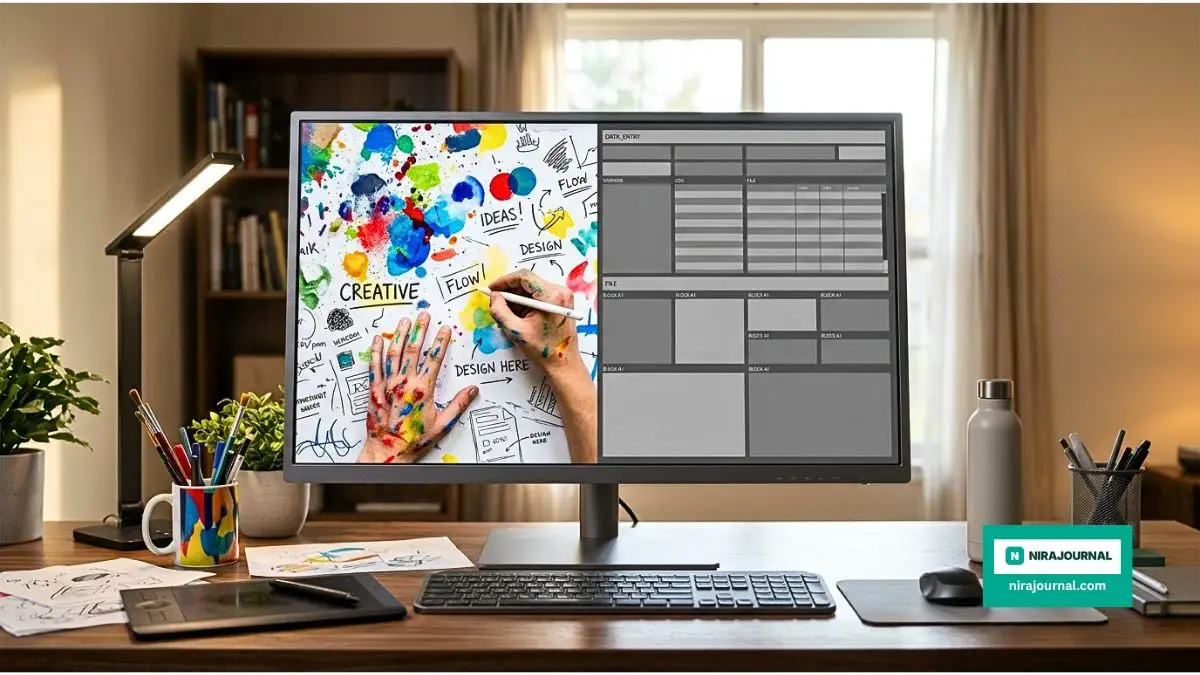
To give you a clearer picture, here is exactly how I split my weekly workload right now:
My Personal Weekly Workflow Split
Setting Up a Bulletproof Fact-Checking System
We have all seen those embarrassing moments online where someone confidently posts incorrect information because they trusted a machine too much. Smart software is incredibly confident, even when it is completely wrong, making up facts, dates, and quotes out of thin air. This is why building a strict review process is non-negotiable if you want people to trust your work.
You should treat every piece of generated text or data as a rough draft given to you by a very eager but easily confused intern. You must manually verify any statistical claim, historical event, or scientific fact before you attach your good name to it. If you need a solid framework for this, checking out some practical ways to verify information safely will save you a lot of future headaches.
Research from educational institutions continuously highlights the importance of human oversight when dealing with automated data extraction. You must become a careful editor, reading through the lines to spot inconsistencies that a machine simply cannot recognize.
Escaping the Blank Page Syndrome Instantly
The hardest part of any creative project is simply getting started when you are staring at a blindingly white, completely empty document. This is exactly where your automated tools shine the brightest, acting as a sounding board to get your mental gears turning. You can throw terrible, half-baked ideas at the software just to see what kind of response it bounces back to you.
Instead of asking the tool to write a blog post, ask it to give you ten terrible ideas for a blog post. Reading through those bad ideas will automatically trigger your brain to say, "No, that is wrong, it should actually be done this way!" This reverse-psychology trick is an amazing way to jumpstart your engine without letting the tool do the actual driving.
Many beginners fall into the trap of thinking these programs are magic wands that will fix all their problems instantly. It is essential to start unmasking the biggest AI myths so you can use these resources with realistic expectations. They are just advanced calculators for words and data, nothing more and nothing less.
Automate the Chores, Not the Core
Every single profession has a set of boring, repetitive chores that drain the life out of you before lunchtime. Whether it is sorting through hundreds of emails, resizing images, or organizing spreadsheets, these are the tasks you should aggressively automate. By clearing away this digital clutter, you are physically buying back hours of your day.
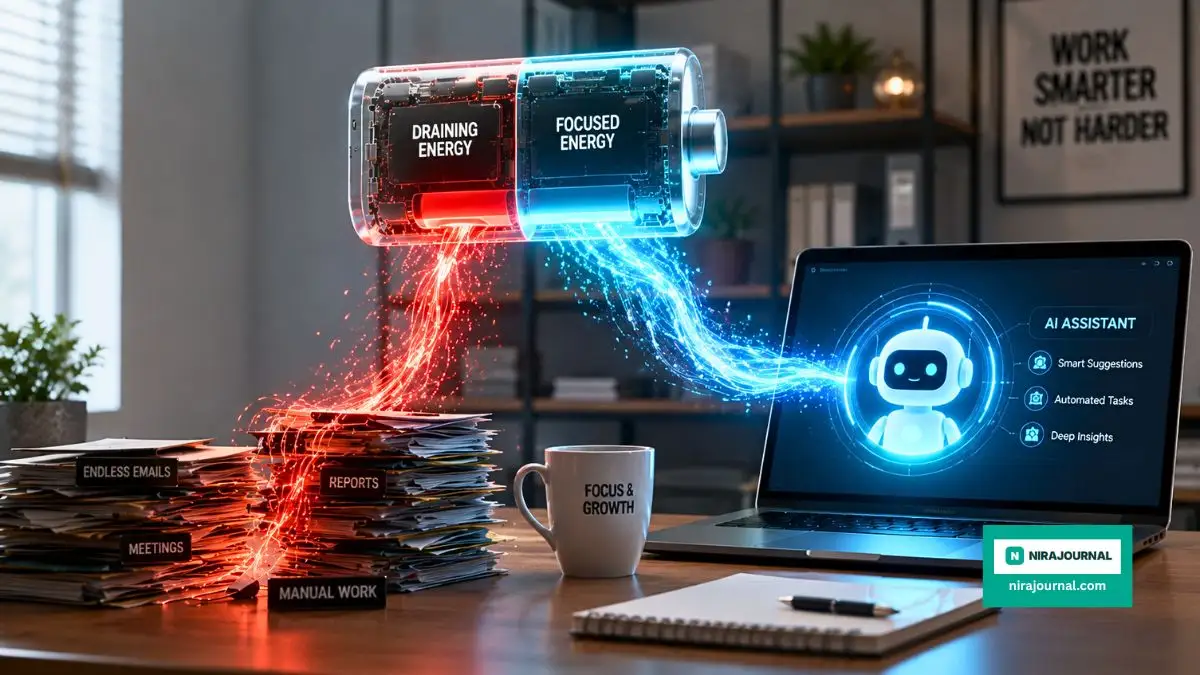
Think of your daily energy like a battery on your smartphone. If you waste 40% of your battery on useless background apps (like formatting tables), you will not have enough juice left for the important phone calls (like deep, creative thinking). You have to actively hunt down these little energy vampires and hand them over to your automated assistants.
A great way to improve your speed is to identify where you are currently getting stuck. Many people accidentally create more work for themselves by using software incorrectly. You can easily fix these common workflow mistakes by simplifying your prompts and taking regular screen breaks.
The Harvard Business Review published an insightful article detailing how top-performing executives use automation purely for administrative relief, allowing them to focus heavily on strategic empathy. When you stop worrying about the small stuff, your mind naturally expands to tackle bigger, more exciting creative challenges.
The "Ugly First Draft" Philosophy
One of the most powerful habits you can develop is the willingness to write a completely ugly, messy first draft entirely on your own. Do not open any smart tools, do not look at your phone, just sit down and pour your raw thoughts onto the page. It will be full of typos, bad grammar, and weird sentences, and that is exactly how it is supposed to be.
Once your raw human emotion is safely secured on the document, then you can invite the machine into the room. You can ask the software to help you fix the grammar, suggest better transition words, or point out areas where your logic does not flow well. This ensures the soul of the project remains 100% yours, while the presentation becomes crisp and professional.
This simple flip in the workflow changes the entire dynamic of how you produce content. You are no longer acting as a passive editor of a robot's thoughts; you are the master creator directing an automated proofreader. This is the ultimate secret to saving time while ensuring your creativity remains the loudest voice in the room.
Mastering the Long Game: Next-Level Workflow Strategies
Once you understand the basic balance between machine assistance and human thought, it is time to upgrade your entire system. The goal here is to build a customized digital environment that completely adapts to your unique working style. You want your software to feel like a perfectly tailored suit, rather than a cheap, one-size-fits-all t-shirt.
I remember struggling for weeks trying to force my brain to work the way the software wanted me to. It was exhausting until I finally realized I needed to train these tools to follow my rules, not the other way around. This simple mindset shift changes everything about how you manage your digital life.
Building a Personal Persona Document
The absolute best secret to maintaining your authentic voice is creating what I call a "Persona Document." This is a simple, plain text file where you describe your exact communication style, your favorite phrases, and your core values. You feed this document to your digital assistant every single time you start a new project.
Think of this document like a recipe book for your personality. If you love using short, punchy sentences and a little bit of dry humor, write that down clearly in your guide. When the machine knows exactly what ingredients to use, it will stop giving you those boring, corporate-sounding paragraphs.
You can even include examples of your past work inside this document so the tool understands your natural rhythm. Over time, you will notice that you spend significantly less time editing because the first draft already sounds exactly like you. Learning the secrets to making your text sound human is mostly about setting these strict stylistic boundaries right from the start.
The Art of Cognitive Offloading
Top-level professionals do not just use software to write faster; they use it to think clearer. This concept is scientifically known as cognitive offloading, which means getting random thoughts out of your brain so you have room for deep focus. According to fascinating research from the American Psychological Association on memory and cognitive load, our brains work much better when we do not try to hold onto too much temporary information.
Instead of trying to remember every single detail of a meeting or a creative brainstorming session, you dump all your messy notes into your automated tool. You ask the software to categorize your random thoughts into neat, organized lists. This instantly relieves your mental stress and gives you a clean slate to start doing the actual creative work.
I do this every single Friday afternoon before I close my laptop for the weekend. I let my digital assistant organize my scattered thoughts into a neat plan for Monday morning. This simple habit completely erased my weekend anxiety because I know my ideas are safely stored and logically structured.
Developing Your Own Prompt Library
One of the smartest things you can do for your long-term success is to stop typing the same instructions over and over again. Every time you figure out a command that gives you an amazing result, you need to save it immediately. Building a personal library of successful instructions is like creating your own private toolbox of magic tricks.
You can easily use a basic spreadsheet or a simple notes app to organize these commands by category. Have one section for brainstorming, one for editing grammar, and another for organizing complex data. When you have this library ready, starting a new project takes three seconds instead of thirty minutes of frustrating trial and error.
The Silent Saboteurs: Workflow Traps You Must Avoid
Even with the best intentions, it is incredibly easy to slip into some very dangerous habits when you have so much digital power at your fingertips. I have seen brilliant, highly creative people completely ruin their professional reputations because they got a little too lazy. Let's talk about the hidden traps that can quietly destroy the system you are trying so hard to build.
The Copy-Paste Catastrophe
The most common and destructive mistake anyone can make is the blind copy-paste. This happens when you are rushing to meet a deadline, so you take the raw output from a machine and publish it without reading a single word. You might think nobody will notice, but human beings have a highly sensitive radar for unnatural, robotic language.
When you publish unedited machine text, you are instantly telling your readers that their time is not worth your effort. People will quickly lose trust in your expertise, and rebuilding that trust is almost impossible once it is gone. You must always act as the final, strict editor of everything that has your name attached to it.
I once received an email from a trusted colleague that included a blatant machine-generated placeholder tag right in the middle of a sentence. It completely shattered the illusion of a personal connection, and I felt incredibly disrespected. That awkward moment served as a permanent reminder for me to manually read every single sentence before hitting the send button.
My Personal Experience: I actually tried the "mass publish" automated method back in 2023, posting completely unedited articles hoping for quick traffic. It backfired totally—my site traffic dropped by 60% in a single month. I had to go back and manually rewrite every single post to sound like myself again before Google finally restored my rankings. Never again!
The Privacy Blindspot
In our rush to get things done quickly, we often forget that these smart tools are constantly absorbing the information we give them. One major mistake people make is feeding sensitive client data, private financial numbers, or secret business plans into public web applications. Once that information goes into the cloud, you completely lose control over who might see it or how it might be used.
You must treat these open platforms as completely public spaces, like shouting your secrets in a crowded coffee shop. Always anonymize your data by changing names, removing specific company details, and deleting financial figures before you ask for help summarizing it. Understanding exactly how to go about protecting your private information online is absolutely essential for keeping yourself and your clients safe.
Major organizations are strictly updating their policies because of this exact problem. Guidelines published by institutions like the National Institute of Standards and Technology on digital privacy heavily emphasize keeping sensitive data entirely away from public automation channels. A little bit of caution today will save you from a massive legal headache tomorrow.
The Echo Chamber of Average Ideas
Another terrifying pitfall is letting the software make your final creative decisions for you. Because these programs are designed to give the most mathematically common answer, they naturally hate weird, bold, or controversial ideas. If you rely on them to tell you what is good or bad, your work will quickly become extremely boring and totally forgettable.
You should only use these tools to check your logic, never to judge your creativity or your artistic vision. If a machine tells you an idea is too unusual, that is usually a fantastic sign that you are onto something incredibly unique. Always trust your human gut feeling over a mathematically generated average.
Your Action Plan for Tomorrow
Building a workflow that actually supports your goals does not happen overnight, but it is deeply rewarding when everything finally clicks. You are essentially designing a digital workspace where your best ideas can grow freely without being crushed by boring administrative tasks. The secret is simply remembering that you are always the main character, and the software is just your helpful sidekick.
Start extremely small tomorrow morning by choosing just one repetitive task to hand over to your digital assistant. Notice how much lighter your brain feels when you don't have to worry about sorting that messy data or organizing those loose notes. Use that newly found energy to dive deep into the creative work that actually brings you joy.
I spent years fighting with my daily schedule until I finally accepted that I do not have to do everything manually to be proud of my work. My creative energy completely returned the moment I stopped trying to act like a machine and started acting like a human again. You have this exact same power waiting for you; all you have to do is take back control of your desk today.
Common Questions About Setting Up Digital Workflows
Can I completely automate my daily writing tasks?
You can easily automate the structuring, formatting, and outlining parts of your daily writing to save hours of time. However, completely automating the final draft is a huge mistake because it removes your unique personality. You should always insert your own stories, emotions, and specific opinions to keep the text engaging.
Will relying on smart tools make me less creative?
It only makes you less creative if you let the machine do the brainstorming and the final polish for you. If you use the software strictly to handle boring tasks like data sorting and grammar checks, your creativity will actually increase. You will have way more mental energy left over to focus on original, out-of-the-box thinking.
How do I stop my generated content from sounding robotic?
The best trick is to build a detailed style guide that includes your favorite phrases, humor, and specific formatting rules. Feed this guide to the tool before you start working so it clearly understands your personal brand voice. Finally, always read the text out loud and manually rewrite any sentences that feel too stiff or formal.
Is it safe to put personal notes into these web applications?
No, it is never truly safe to paste sensitive, personal, or private business information into open public platforms. These systems often use the data you provide to train future versions of their software. Always use fake names and remove exact financial numbers before using these tools to analyze your documents.
What should I do when the software gives me bad ideas?
Treat bad machine output as an excellent opportunity to spark your own reverse-psychology brainstorming process. Seeing a terrible idea often triggers your brain to immediately figure out the correct, much better solution. Just laugh at the bad suggestion, clear the screen, and trust your own human intuition to guide you forward.
Disclaimer: The information provided in this article is for educational and informational purposes only. Technology, software features, and digital privacy policies change frequently. Always review the terms of service and privacy policies of any third-party tools or software before integrating them into your personal or professional workflow. We do not guarantee specific results from the methods discussed.
About the Author
Munira Parveen is a dedicated Digital Content Strategist and Lead Researcher with a passion for simplifying complex topics. From navigating personal finance and emerging tech trends to uncovering the best practical lifestyle solutions, she spends her time analyzing data to bring readers highly accurate, actionable, and easy-to-understand guides. Her ultimate goal is to empower everyday people to make smarter, more informed decisions in this fast-paced digital world.