
When Your Digital Walls Start Crumbling
I remember the exact moment my stomach dropped. It was a Tuesday evening, and I was checking my website stats when I noticed something strange—my site was redirecting to a suspicious page. My heart started racing because I realized someone had gained access to my server files. I felt exposed, frustrated, and completely helpless, staring at a screen that no longer felt like my own.
We often think that our hosting provider handles everything, but that is a dangerous assumption. Losing control over your own files isn't just about technical downtime; it is about the violation of trust you built with your audience. I spent hours that night trying to figure out where I went wrong, feeling the heavy weight of panic as I scrambled to lock things down.
Many of us go through this daily stress without even realizing it. You might be focusing on design or content, meanwhile, your server backend is like a house with the front door left wide open. The anxiety of wondering if your data is being stolen or modified can keep you up at night, ruining your peace of mind.
It is not just about the technical mess, either. Think about the time lost fixing errors, the fear of losing your hard-earned traffic, and the potential hit to your reputation. The struggle is real, and it is usually preventable if you know where to look.
I want to save you from that same sinking feeling. By taking small, proactive steps today, you can transform your server from an easy target into a digital fortress.
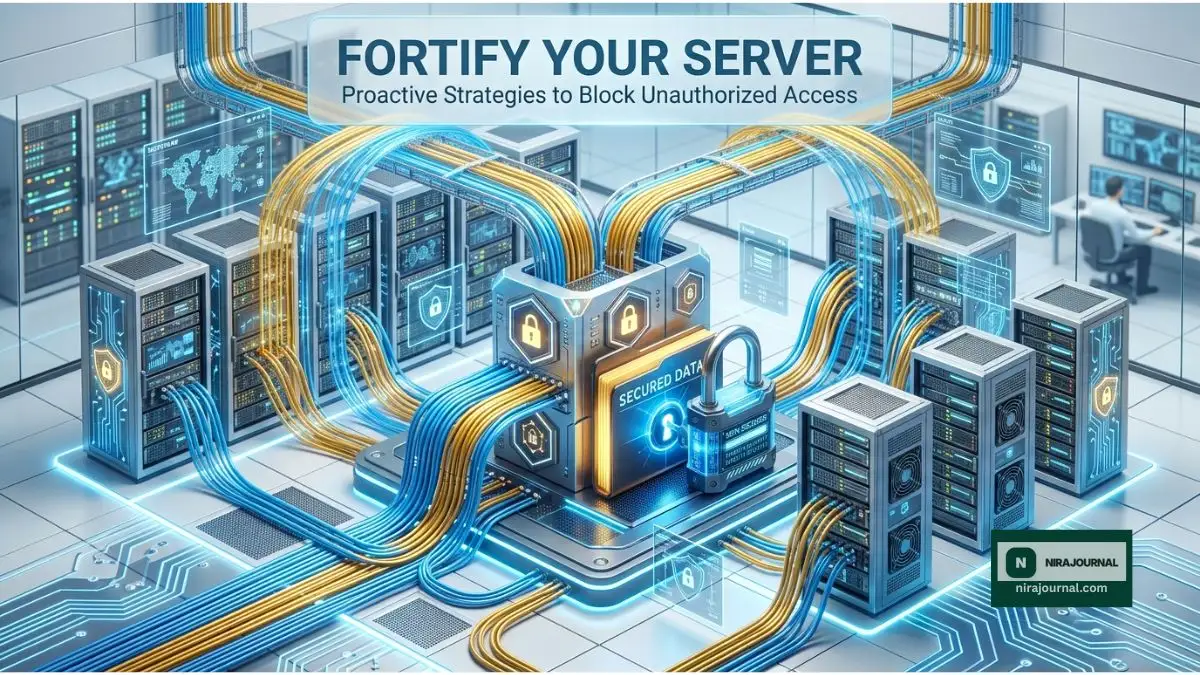
The Foundation of Server Hardening
You do not need to be a coding genius to make your server safer. Security is about consistent habits and closing the gaps that hackers look for. Here is how you can begin protecting your files immediately.
Understanding the Perimeter
Think of server hardening as adding extra locks to your door. You are removing unnecessary features and tightening the settings so that only you have the keys. When you minimize the access points, you make the job for unauthorized visitors much harder.
Most attacks are automated, meaning hackers are just looking for the easiest target. By implementing these basic measures, you move your site out of the "easy target" category. For those curious about the official standards, you can read more about website security guidelines at the Canadian Centre for Cyber Security.
Mastering Your File Permissions
One of the most common ways hackers slip in is through poorly configured file permissions. If your files are set to "public write" mode, you are essentially asking for trouble.
Files that hold your website’s core data should be set to read-only for others. Only the server owner should have the ability to write to these files. You can check this through your control panel or an FTP client. Setting the right permissions is the single most effective way to prevent unauthorized file modifications.
Strengthen Your Authentication
We all know we should use strong passwords, but server security requires more. Are you using two-factor authentication for your hosting account and your server access?
If you are not, you are relying solely on a password that could be guessed or stolen. Adding that second layer—like an app on your phone—is a massive leap in security. Also, How to Safely Connect Your Domain to a New Host (Avoid Downtime) can help you ensure that even when you move or manage your assets, your security protocols stay intact.
The Power of Regular Updates
I learned this the hard way: I ignored a notification to update my server software because I thought it was "just a minor patch." That delay gave an attacker the opening they needed.
Updates are not just about new features; they contain fixes for security holes that developers found. If you are running an outdated version of your server software, you are leaving known doors unlocked. Make a habit of checking for updates weekly to stay one step ahead. For a broader look at common server threats, Cloudflare provides an excellent guide on website security best practices.
Pro Tip: My "Wake-Up Call"
I once used a generic username for my primary admin account because it was easier to remember. My account was brute-forced within a week. I realized then that convenience is the enemy of security. Now, I always use complex usernames and keep my admin access restricted to my specific IP address whenever possible.
Watch the Experts Explain Server Safety
To understand how these pieces fit together visually, I highly recommend watching this short guide. It breaks down the architecture of a secure server in a way that is easy to digest.
Understanding the core of your server infrastructure is the first step toward true data protection. Watch this video to see how professionals keep their environment secure, then keep reading below for more essential tips.
Minimize Your Exposure
Another smart move is to review the add-ons and plugins you have installed. Every piece of extra software is a potential doorway for someone to crawl through. If you aren't using a plugin or a theme, delete it completely.
Don't just deactivate it; get rid of it. Stale, unused files are gold mines for attackers looking for old code to exploit. Similarly, if you are setting up a new brand, consider the risks of your TLD. 7 Hidden Ways Domain Extensions Change Your Brand Identity (Avoid These Mistakes)] shows why choosing the right foundation is part of your overall long-term security and branding strategy.
Monitor Your Traffic Patterns
Sometimes, unauthorized access looks like unusual traffic spikes. If you notice your site suddenly getting thousands of requests from a country where you have no audience, that is a red flag.
Most hosting panels have logs that show you who is visiting and what files they are trying to reach. By keeping a casual eye on these logs, you can spot suspicious behavior before it turns into a full-blown attack. You don't need to be a data scientist; just look for patterns that don't make sense.
The Essential Safety Net: Backups
Even the best security can fail. If the worst happens, you need a way to restore your site quickly. Do not keep your backups on the same server as your website.
If a hacker gets into your server, they can easily delete your backups too. Keep a copy on a separate cloud service or a physical drive. A clean, remote backup is your ultimate safety net when everything else goes sideways.
Why Offsite Storage Is Non-Negotiable
You might think that your host’s "included" backup service is enough. Often, it is not. If your host’s server gets compromised, their backups might be too.
Storing your data in a geographically separate location—often called offsite backup—ensures that even if your data center faces a physical disaster or a massive breach, your files remain untouched and recoverable. This is the difference between a minor inconvenience and a total business collapse.
Building a Security Culture
Finally, security is not a "set it and forget it" project. It is a mindset. Every time you log in to your hosting account, take ten seconds to check your logs or ensure your firewall is active.
These small, consistent actions prevent the big disasters. You are the guardian of your digital property, and with these steps, you are already miles ahead of the average user who leaves their digital doors wide open. Stay alert, keep things updated, and always prioritize the safety of your files over the convenience of a quick setup.
Extended Practical Strategies for Advanced Protection
Implementing Firewall Rules
A firewall acts as the filter between your server and the rest of the world. It is not just about blocking IP addresses; it is about blocking malicious requests.
If you use a service like Cloudflare or a server-side firewall like ConfigServer Security & Firewall (CSF), you can stop bad actors before they even touch your files. Configure it to block repeated login failures and weird traffic spikes.
The Principle of Least Privilege
This is a fancy way of saying "don't give anyone more power than they need." If you have other people working on your site, give them their own accounts with specific permissions.
If someone only needs to upload images, don't give them full administrator access. If they don't have access to the core server files, they can't accidentally (or intentionally) cause damage.
Monitoring Logs for Anomalies
Most admins ignore their logs until a disaster happens. Don't be that person. You can set up simple alerts to email you whenever a critical file is modified or when a user logs in from an unknown location.
If you don't know where to look, start by checking the /var/log directory on your Linux server. Look for auth.log or secure logs. These files tell the story of who tried to get in and whether they succeeded.
The Value of Security Audits
Once a month, do a "clean sweep." Check for new users you don't recognize, plugins you forgot to delete, and files that shouldn't be there.
This audit doesn't have to take all day. Fifteen minutes of focused clicking can save you weeks of recovery work later. If you see something out of place, delete it immediately. Trust your gut—if a folder looks suspicious, investigate it right away.
Encryption at Rest
Finally, ensure that your data is encrypted even when it's sitting on your server hard drive. While this is often handled by your hosting provider, you can ask them if they support server-side encryption.
Protecting your data at rest means that even if a hacker managed to copy your files, they couldn't read them without the encryption key. This is a high-level security step, but for sensitive data, it is a game-changer.
By layering these security measures, you aren't just locking a door—you are building a secure perimeter that makes your site a difficult target for anyone who isn't invited. Take these steps today, and breathe a little easier knowing your digital assets are shielded by modern, effective practices.
Mastering Your Server Security Beyond the Basics
Now that you have locked your front door, let’s talk about reinforcing the rest of the house. Advanced security isn't about complexity; it’s about becoming invisible to automated threats.
Using SSH Keys Instead of Passwords
The most common way admins access their servers is via a simple password. This is exactly what attackers try to guess using thousands of attempts every second.
Instead, switch to SSH Keys. Think of this as a physical key that only lives on your specific computer. If someone tries to guess your password, they will fail because the server will simply refuse to accept one.
You can learn how to implement these robust authentication methods by reviewing the official documentation on SSH key-based authentication from the OpenSSH project. It takes a bit of time to set up, but it makes your server practically impossible to brute-force.
Implementing a Strict Firewall
Your server likely has many "ports" open, which are essentially windows to different parts of your system. If you aren't using a specific port, it should be closed permanently.
Most firewalls allow you to "whitelist" your own IP address while blocking the rest of the world. This means even if a hacker has your login details, they can't even reach the login screen because their connection is blocked at the network level.
Keeping Your Environment Clean
We often forget about temporary files or old staging environments we created months ago. These areas of your server are rarely updated and are often poorly protected.
If you are not using a file or a folder, delete it. Hackers love finding "hidden" folders that were used for testing because they are usually full of outdated, vulnerable code.
If you are preparing to handle more traffic or improve your security posture, you might need to address your site's handshake protocols. [Anchor Text: Stop Losing Visitors: A Simple Roadmap to SSL Encryption (Save Time & Money) will show you how to wrap your data in a layer of privacy that goes beyond simple server settings.
Continuous Monitoring for Peace of Mind
Real security is proactive, not reactive. Set up automated email notifications for when someone logs in from an unknown location.
Most control panels have this as a simple checkbox in the settings. Being alerted the moment an unrecognized person enters your dashboard allows you to shut them out before they can modify your files.
For those who want to see the technical side of how cyber-attacks are categorized and prevented, the NIST Cybersecurity Framework provides a deep look into risk management. It is a standard used by organizations worldwide to keep their data locked down tight.

The Dangers of Cutting Corners
We all want things to work instantly. However, choosing the "quick fix" in server security is often the fastest way to lose everything.
The Myth of "Nobody Targets My Site"
I used to think my site was too small for anyone to care about. That was the biggest mistake I ever made.
Hackers don't care who you are; they care about how easy your server is to compromise. They use automated bots that scan the entire internet looking for unpatched vulnerabilities. Your site gets hit because it was found by a bot, not because a human specifically picked you out.
Relying on Default Settings
When you get a new hosting account, it comes with default configurations designed for ease of use, not security. Many people leave these settings exactly as they are.
Default paths like /admin or standard database names are the first things bots scan for. By not renaming your login portals or changing default database prefixes, you are essentially leaving a "Welcome" sign for any automated intruder.
Ignoring Logs and Warnings
It is easy to see an alert on your dashboard and click "Dismiss." We are busy, and we want to move on to our content.
However, those alerts are your server's way of telling you that someone is knocking on your door. Ignoring these warnings is like hearing a window break in your house and deciding to turn up the music instead of checking what happened.
Also, be careful when managing your backend settings, especially when it comes to domain management. Why Your Website Isn't Showing Up After Updating DNS Nameservers [Proven Fixes] covers how missteps here can lead to both downtime and security gaps that you need to watch out for.
Your Path to a Safer Digital Future
Securing your server is not a one-time event; it is a way of life for any website owner. You don't have to be perfect, but you do have to be consistent.
Small changes, like using SSH keys and keeping your software updated, stack up to create a massive wall of defense. If you take these steps today, you will have more time to focus on your content and less time worrying about someone else damaging your work.
I started my journey feeling overwhelmed, but once I took control, I realized that I was capable of protecting my own space. My advice to you is to start with one thing from this list today and build on it tomorrow. You have the power to keep your site safe, and I know you can do it.
The Dangers of Neglecting Database Security
Most people focus on the files they can see, like images and text documents. However, your database is the heart of your website. It stores your user data, your passwords, and all your content.
If you leave your database tables with a generic prefix like "wp_", bots can easily find your data structure. By changing this to something unique during your initial setup, you make it much harder for automated SQL injection attacks to succeed.
Why Shared Access Can Be Your Biggest Weakness
If you have ever given a developer, a friend, or a contractor access to your server, you might have left that "door" open. Many of us forget to revoke access once the job is done.
Review your user accounts every few months. If someone doesn't need access anymore, delete their account. This principle—called the Principle of Least Privilege—is the gold standard in professional security. You should only give access to the specific files needed for the specific task at hand.
Understanding the Risk of "Hotlinking"
Did you know that other websites can link directly to your images? This is called "hotlinking," and it can drain your server's resources. When your server is busy serving images to someone else’s website, it becomes slower and more vulnerable to a Denial of Service (DoS) attack.
You can prevent this by adding a simple rule to your .htaccess file. This stops other sites from "stealing" your bandwidth and keeps your server resources focused on your own visitors.
The Role of HTTP Headers
Advanced security involves telling the browser how to handle your site. By adding security-focused HTTP headers, you can prevent common browser-based attacks.
These headers can force the browser to only connect via secure channels or prevent your site from being loaded inside an "iframe" on a malicious website. While this sounds technical, most hosting control panels now offer a "Security Headers" plugin or setting that handles this for you with a single click.
Handling Software Vulnerabilities
Plugins and themes are the most common entry points for hackers. Every time you install a new feature, you are trusting the developer of that code with your server's safety.
If a developer stops updating a plugin, delete it. Abandoned software is a ticking time bomb. I once had a site compromised because I left an old, "abandoned" contact form plugin installed for two years. Don't let your desire for a "cool feature" outweigh your need for a secure server.
Building a Habit of "Security Awareness"
The best firewall in the world cannot stop you if you accidentally download a file from a phishing email. Keep your own devices clean, use a password manager, and never log into your server from a public Wi-Fi network without a VPN. Your server's security is only as strong as the weakest link, and often, that link is the human behind the keyboard.
Your Questions Answered
Do I need to be a tech expert to secure my server?
Absolutely not. Most of the effective steps mentioned here, like setting strong passwords or deleting old files, require zero coding knowledge.
Will these security measures slow down my website?
Not at all. In fact, removing unused plugins and closing unnecessary ports can often make your website load even faster.
How often should I check my server logs?
Make it a habit to check them at least once a week. This allows you to spot odd patterns without it feeling like a massive chore.
Is free security software reliable?
Many free security tools are excellent, provided they come from trusted, reputable sources. Always verify the reputation of any tool before installing it on your server.
What if I am on a shared hosting plan?
Even on shared hosting, you have control over your file permissions and password strength. Focus on what you can control, and don't be afraid to ask your host's support team what security features they offer for your account.
Disclaimer: The information provided in this article is for educational purposes only. While these steps improve server security, no system can be 100% immune to threats. Always keep external backups of your data and consult with a professional if you are handling highly sensitive information.
About the Author
Munira Parveen is a dedicated Digital Content Strategist and Lead Researcher with a passion for simplifying complex topics. From navigating personal finance and emerging tech trends to uncovering the best practical lifestyle solutions, she spends her time analyzing data to bring readers highly accurate, actionable, and easy-to-understand guides. Her ultimate goal is to empower everyday people to make smarter, more informed decisions in this fast-paced digital world.